
Travel Planner App
Spring 2025
This is an app that helps users plan their next trip with features including a packing list, hotel booking, and activity selection. For my Native App Development midterm project, I created an application using the skills I learned throughout the course. Using SwiftUI in Xcode, I built the Travel Planner App to help users organize their vacations in terms of packing, hotels, and activities. Some of the elements I implemented include ScrollViews, NavigationLinks, MapViews, button styles, arrays, and transitions.

The Process
The Challenge
For this project, I needed to create a fully functional and usable app using SwiftUI and Xcode. While I was able to implement most of the topics learned in class, I faced challenges with MapViews and the progress tracker feature.
The Solution
I have always been interested in planning vacations, so I wanted to create an app that made this process easier for users. After deciding on the idea, I started by designing the basic layout and creating a main content page with links to all other sections.
I then developed the packing list page and implemented an array of packing items. This is where I encountered my first challenge: updating the progress tracker as items were checked off. By using state variables and a checked-items list, I was able to dynamically update the progress tracker as each item was selected.
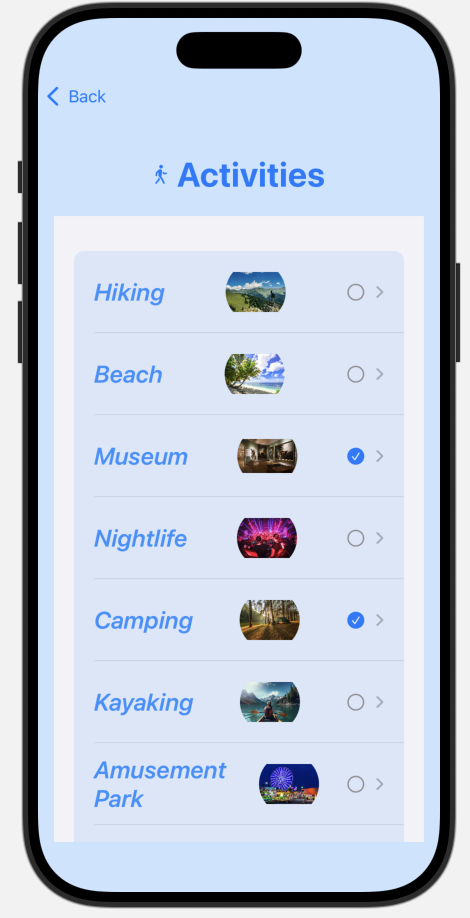
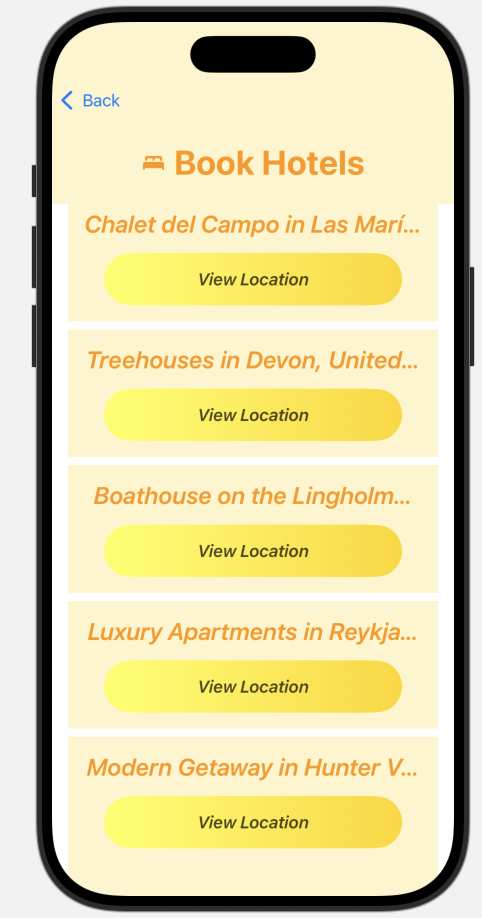
Next, I created the activities page, which included descriptions and images for each activity. Lastly, I built the hotels page, which included MapViews displaying hotel locations. While I initially struggled with displaying multiple locations using one MapView, I ultimately decided to maintain a single satellite map view structure to clearly show hotel locations.
Tools/Skills
Xcode - iOS development environment
SwiftUI - Native iOS UI development and application structure
MapKit - Location display and map integration
ScrollView & NavigationStack - App navigation and content organization
State Management - Dynamic updates for progress tracking and user interaction
Results
I believe the result of this project is a successful app with useful features. I applied skills such as ScrollView and MapView that I learned throughout the semester. When I first started this project, I understood individual features like arrays and progress tracking but was unsure how to combine them into a larger application. This project helped me strengthen my understanding of connecting multiple components together.
For future iterations, I would like to improve the app’s flow by linking pages more seamlessly and potentially adding an account feature to track selected and saved items.